

Editor
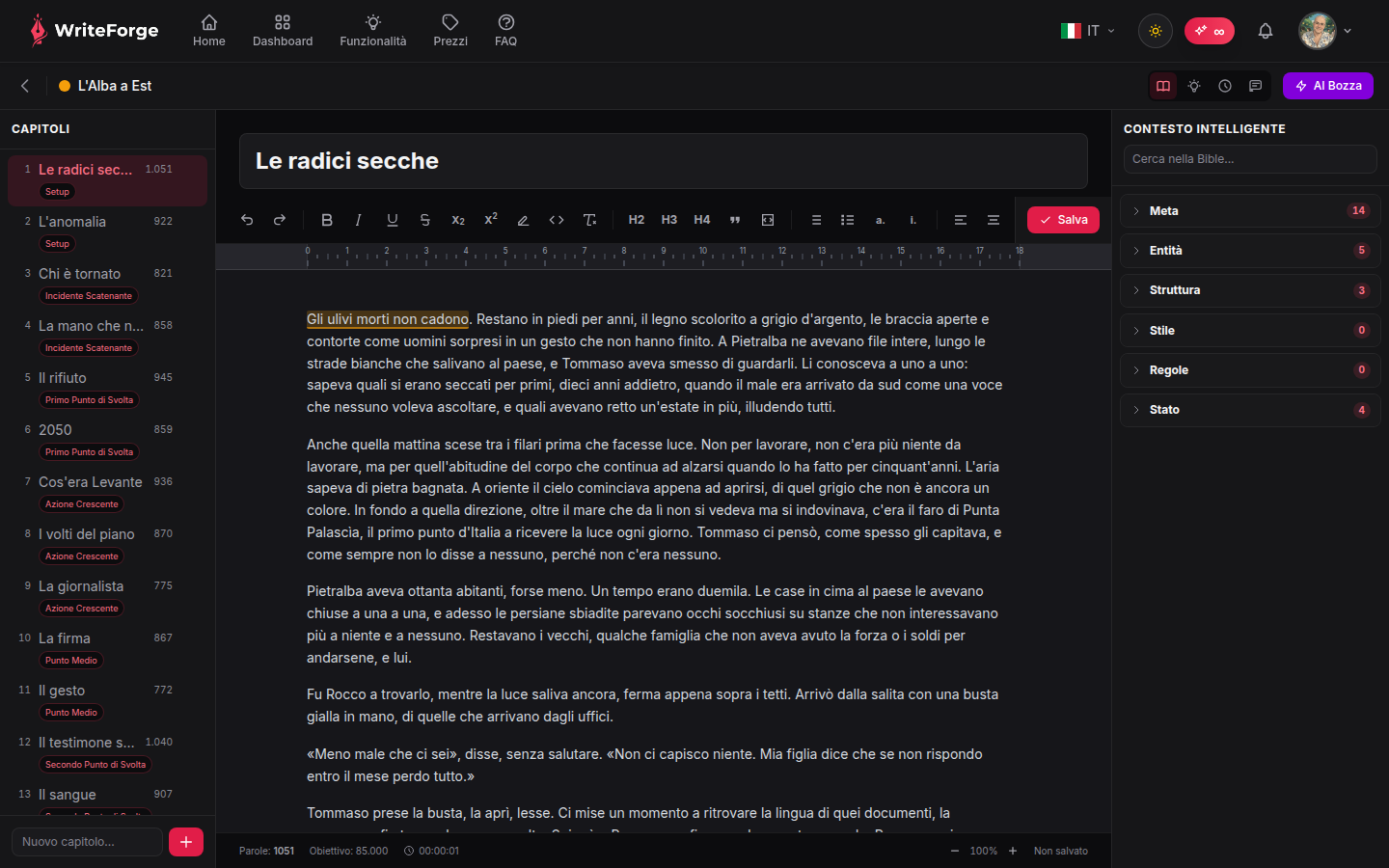
Your writing space, with chapters on the left and Smart Context on the right.
Key points
- Your work saves automatically as you write.
- Use the AI for suggestions consistent with the project context.
- Smart Context is injected into every AI request to keep things consistent.
The writing environment
Three columns: chapters on the left (create, reorder, navigate), your text in the center, and the Smart Context panel on the right with characters, structure and rules always in view. Saving is automatic: write without thinking about backups.
Writing with the AI
The assistant can continue your text, suggest alternatives or develop a scene. Every request carries the project's full Smart Context: the AI knows your characters, the structure and the style you've set, and writes accordingly. Generation consumes AI credits depending on the model used.
Organizing chapters
Add chapters from the left column and drag them to reorder. Each chapter has its own word count; the project total updates automatically and is also visible from the dashboard.