Your projects
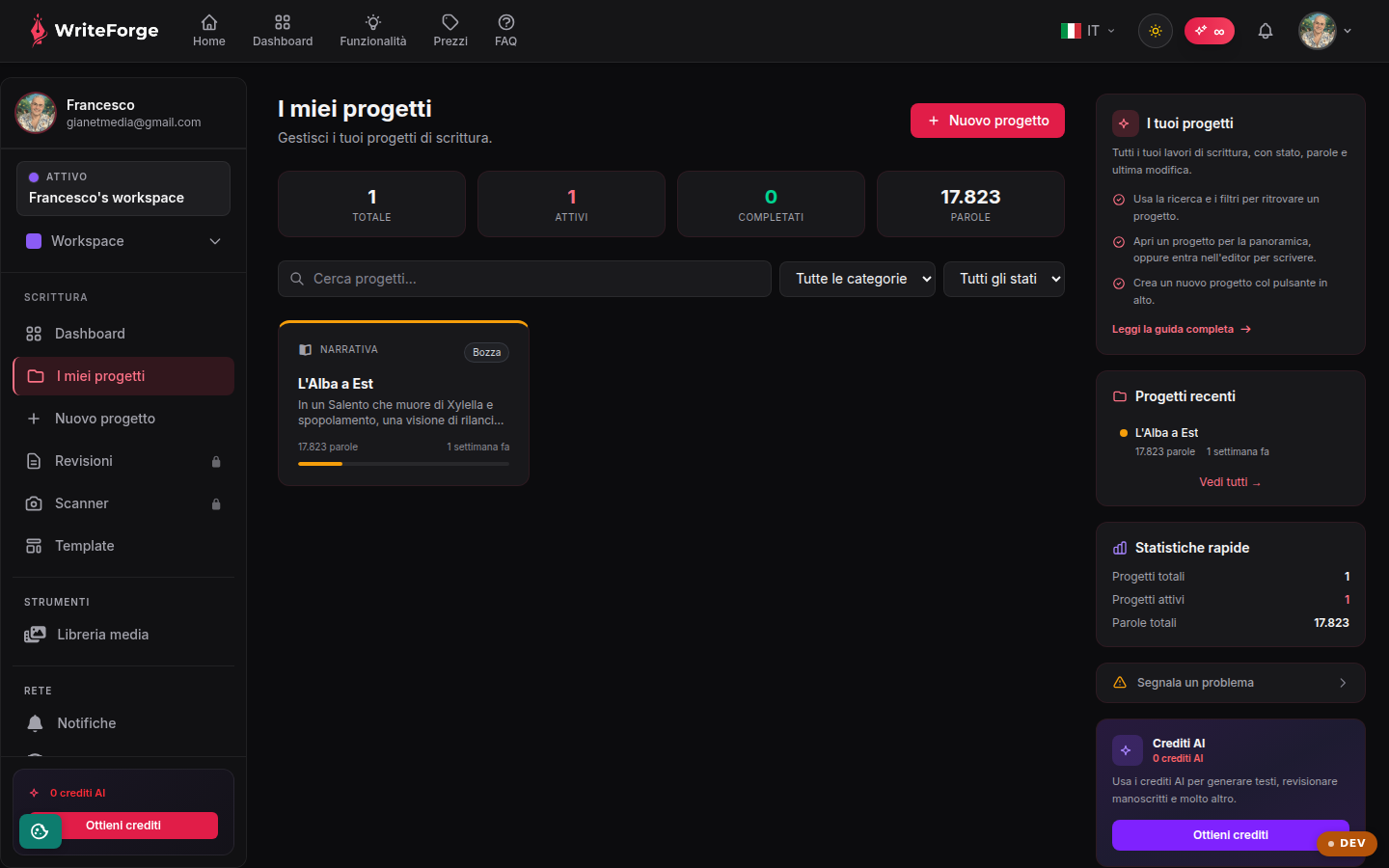
All your writing work, with status, word count and last edit.
Key points
- Use search and filters to find a project.
- Open a project for the overview, or jump into the editor to write.
- Create a new project with the button at the top.
What this page is for
This is the archive of all your writing projects in the active workspace. Each card shows the title, category, progress status, word count and last-edit date: at a glance you know where you left off on every piece of work.
Finding and opening projects
With many projects, use the search bar and the category or status filters. Clicking a card opens the project overview (structure, tools, exports); if you want to write right away, jump straight into the editor. Projects belong to the workspace selected at the top: if you can't see a project, make sure you're in the right workspace.
Creating a new project
The button at the top starts the 4-step guided creation: category, writing type, structural framework (optional) and details. The flow adapts to the chosen type, from fiction to business plans.